Hosting Virtual Trade Shows: A Guide
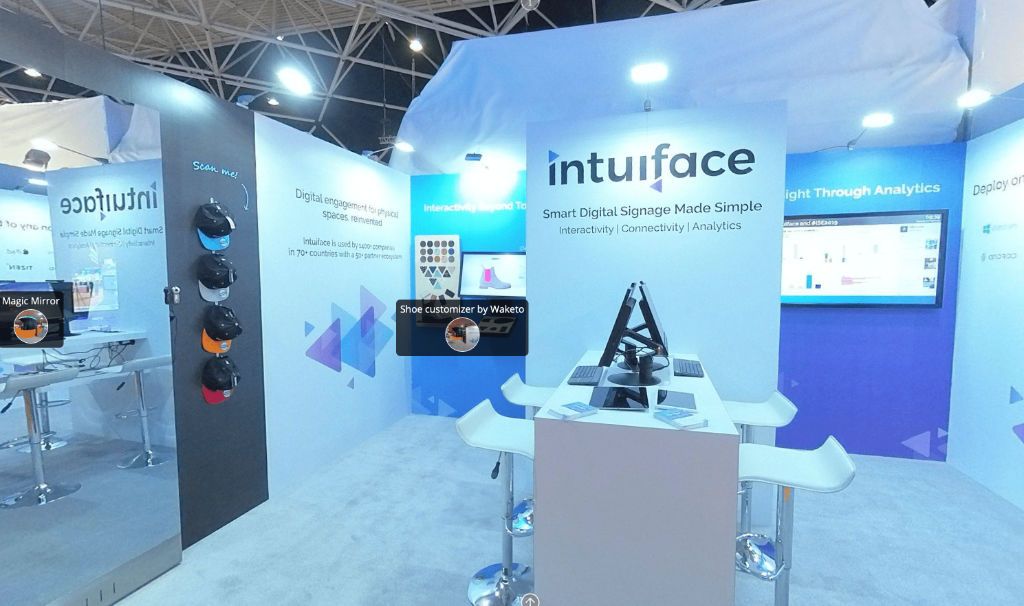
Hosting a virtual trade show means building interactive online booths from 360° photos, 3D models, or renderings, then letting attendees explore them from any browser while hotspots surface product specs, videos, and lead-capture forms. Exhibitors track engagement in real time and follow up with qualified leads once the show wraps.
Digital adoption that once would have taken years now happens in months, and the way companies exhibit has changed with it. What began as a stopgap when in-person events paused has become a permanent channel: the virtual trade show.
As futurist Ben Pring, co-founder of Cognizant's Center for the Future of Work, put it, "COVID-19 is quickly making the future the present." Years on, that shift has stuck. Exhibitors now run online expos year-round, reaching buyers far beyond any convention hall.
A virtual trade show is an online event where exhibitors host interactive digital booths that attendees explore from any browser, on any device. Done well, it captures leads, tracks engagement, and lets buyers experience products without anyone booking a flight.
SeekBeak is a no-code, browser-based platform, in continuous development since 2014 and trusted by organizations up to Fortune 50 scale, for building exactly these experiences. You can combine 360° environments, 3D product models, rendered scenes, video, and your own website content into a single branded virtual booth, then customize every detail to match the client. There is nothing to install for you or your visitors.
Tosolini Virtual Expo Booth
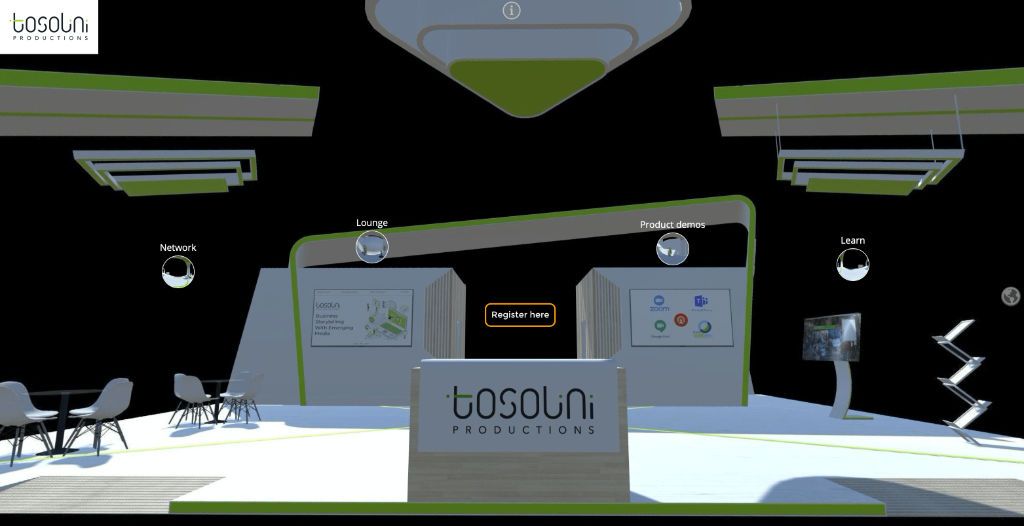
Our friends at Tosolini Productions are able to support our clients who need support developing virtual trade shows.
ZEISS Virtual Optometry Hub Virtual Tour
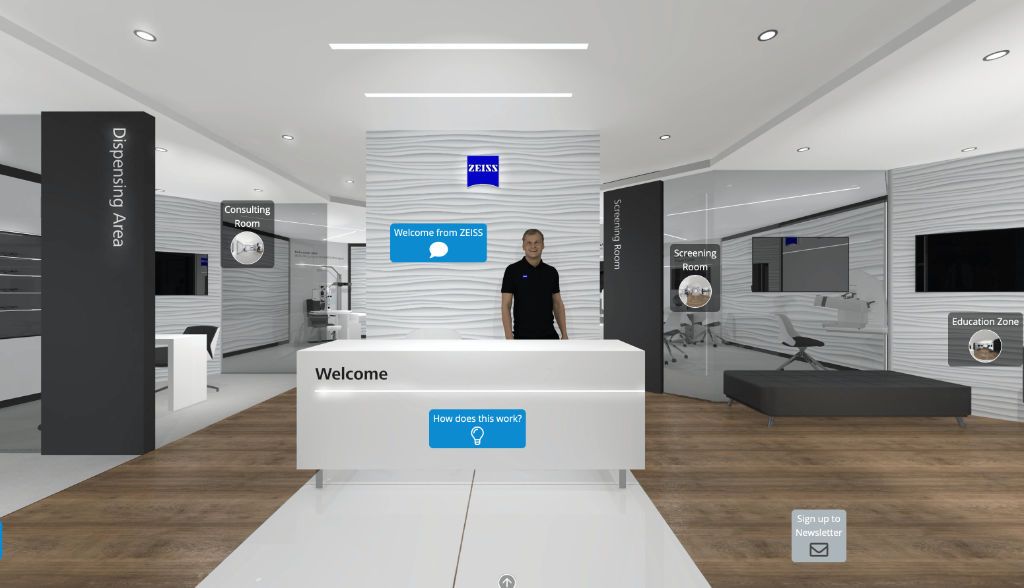
Our friends at ZEISS created the ZEISS Virtual Optometry Hub. The Hub allows you to experience a 360° tour of the ZEISS Virtual Practice, and interact with a whole host of content, including product information and demonstrations, webinar sessions, videos, and articles, as well as using our SeekBeak Tour Guide feature to host real-time video consultations/tours.
What Makes a Virtual Trade Show Booth Work
The difference between a flat landing page and a booth that actually performs comes down to interactivity and measurement. As virtual trade show software, SeekBeak stands out for being entirely browser-based, and these are the features that do the heavy lifting at a virtual booth:
- Interactive hotspots turn any 360° scene, flat image, or 3D model into a clickable booth. Place a hotspot on a product to open a spec sheet, play a video, link to your store, or jump to another area of the booth.
- Lead-capture forms sit directly inside the experience. Visitors register, request a quote, or book a meeting without leaving the booth, and you get a real-time email the moment they do.
- Engagement analytics and heatmaps show which products drew attention and how long visitors stayed. Because the tracking is hosted on SeekBeak's own domain, ad-blockers do not erase your numbers, so post-show ROI reporting reflects real behaviour.
- Live guided tours let a sales rep walk prospects through the booth in real time, with every attendee's view synced to the host. It is the closest thing to standing at the booth together.
- Interactive 3D product models let buyers spin, configure, and explore a product, swapping colours and finishes or opening it up to see what is inside.
- Custom overlays add branded menus, splash screens, and call-to-action buttons over the experience, all built with a drag-and-drop designer and no code.
How to Host a Virtual Trade Show: Step by Step
Here is the workflow most teams follow to host a virtual trade show in SeekBeak, from an empty account to a live event:
- Define the goal and the audience. Decide whether the show is built for lead generation, product launches, dealer training, or all three. That choice shapes every booth.
- Capture or gather your content. Shoot 360° photos of a real space, render an environment, or upload existing photos, videos, and .glb 3D models. SeekBeak supports 360° imagery up to 16K resolution.
- Build the booths. Add interactive hotspots, branded overlays, and lead-capture forms. Save a hotspot library and reuse it across booths so a multi-exhibitor show stays consistent.
- Connect the navigation. Add a 2D map or floor plan so attendees move between booths and zones, just as they would walk a show floor.
- Set sharing and access. Embed the show on your event site, share a direct link, or restrict it to registered attendees with referrer domain whitelisting and password protection.
- Go live and follow up. Run live guided tours during peak hours, then export engagement and form data to CSV or your CRM to prioritise follow-ups while interest is hot.
Because the content is always live-updatable, you change a price or swap a product once and every embedded copy updates instantly, with no files to resend. For a deeper look at turning a physical event into its online counterpart, see why your trade show needs a virtual twin.
Beyond Expos: Town Halls, Conferences, and Year-Round Events
The same toolkit that powers a virtual trade show works for any gathering that benefits from being interactive and measurable. Teams use SeekBeak to run product launches, dealer and franchise training, recruiting fairs, and internal virtual town halls and meetings where employees explore content at their own pace instead of sitting through another slide deck. An immersive virtual event holds attention longer than a static page or a passive webinar, and rather than stitching several tools together, it all lives in one platform.
Key Takeaways
- A virtual trade show is an online event of interactive digital booths that attendees explore from any browser, capturing leads and tracking engagement without travel.
- SeekBeak is a no-code, browser-based platform (in development since 2014) for building booths from 360° scenes, 3D models, video, and web content.
- Built-in lead-capture forms, ad-blocker-resistant analytics and heatmaps, and live guided tours turn a booth into a measurable sales channel.
- You can host a virtual trade show, a virtual exhibition, or a virtual town hall from the same account, and the content stays live-updatable across every embed.
Frequently Asked Questions
You start by defining the show's goal and audience, then gather 360° photos, 3D models, or existing images and videos for each booth. From there, add interactive hotspots, lead-capture forms, and a floor plan so attendees can move between exhibitors, then set sharing permissions and go live. Once the show ends, export engagement and lead data to follow up while interest is still fresh.
An effective booth combines interactive hotspots that reveal specs, videos, or product pages with lead-capture forms built into the experience itself. Engagement analytics and heatmaps show which products held attention, and live guided tours let a sales rep walk prospects through the booth in real time. Together these turn a passive image gallery into a measurable sales channel.
Yes. Exhibitors can combine 360° photos or rendered environments, interactive 3D product models, video, and standard images within the same booth. SeekBeak supports 360° imagery up to 16K resolution and .glb 3D model uploads, so buyers can spin and explore a product much like they would on the show floor.
A virtual trade show platform is the software used to run an online expo, where exhibitors set up interactive digital booths that attendees browse from a laptop or phone instead of a convention floor. It typically includes booth-building tools, lead capture, attendee navigation between exhibitors, and post-show analytics. The goal is the same as an in-person show: generate qualified leads and product interest, without the travel costs.